Compiled, validated system diagrams you can search and trace.
one self-contained interactive HTML diagram
A real system mapped and checked — architecture, workflow, sequence, data flow, or lifecycle.
The output is genuinely good and the authoring contract is steep: typed JSON, five diagram types, validation profiles. That gap between what it can do and what a newcomer can get out of it is exactly where a guided prompt earns its place.
Real artifacts from the tool's own gallery.
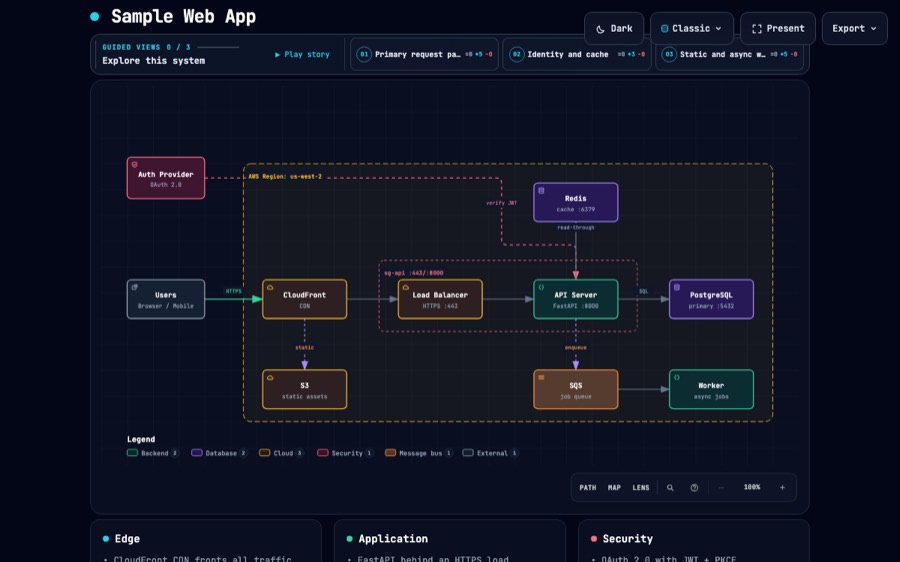
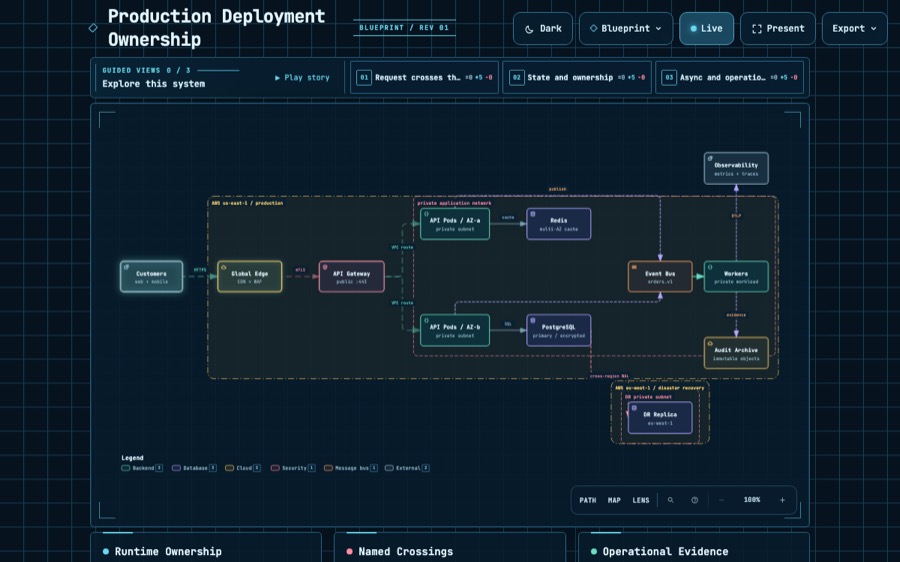
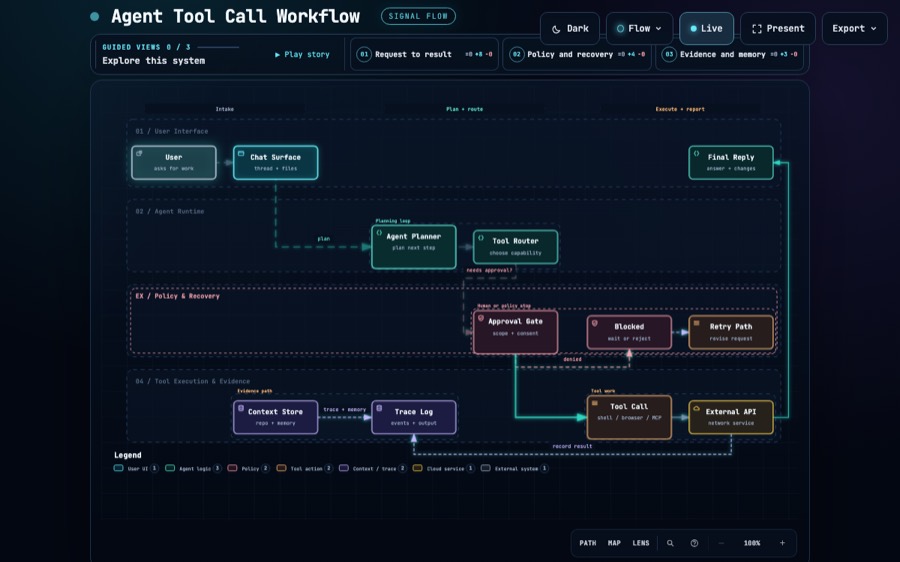
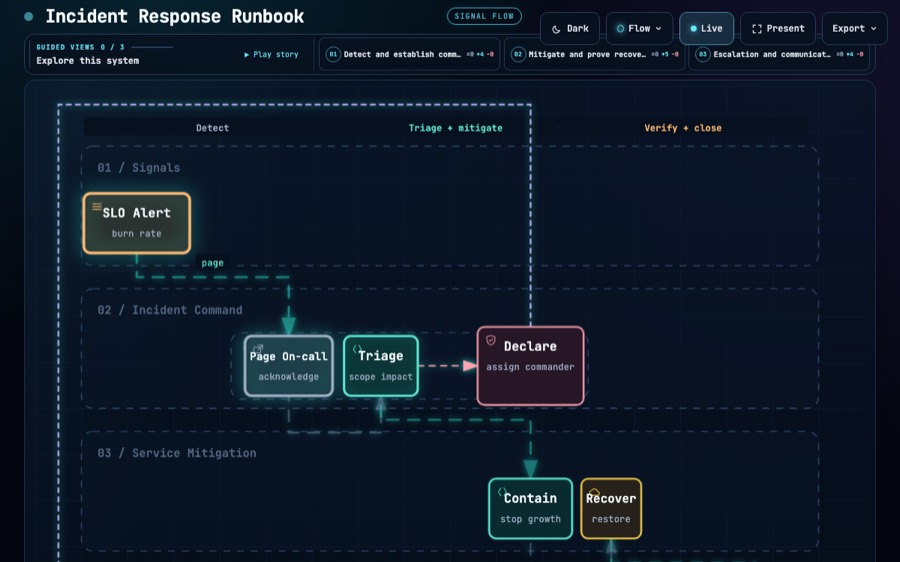
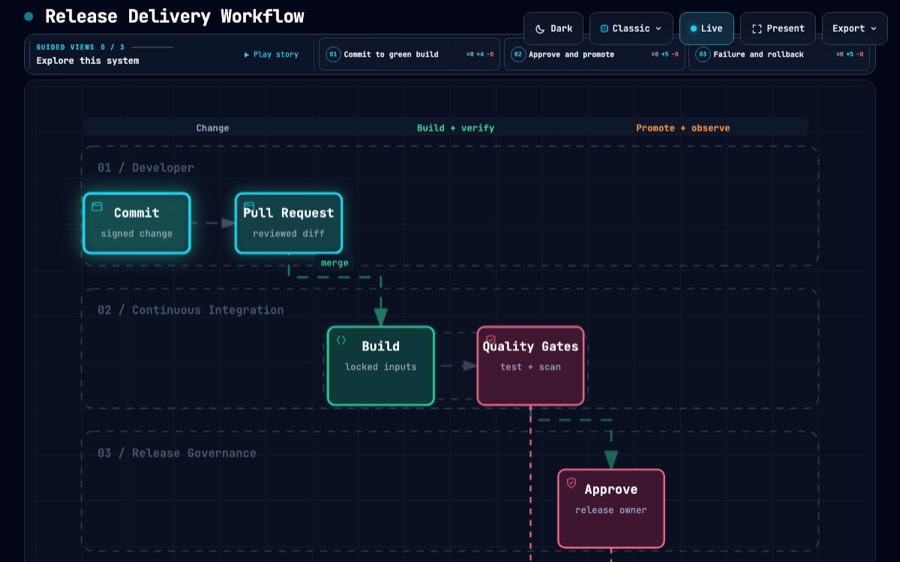
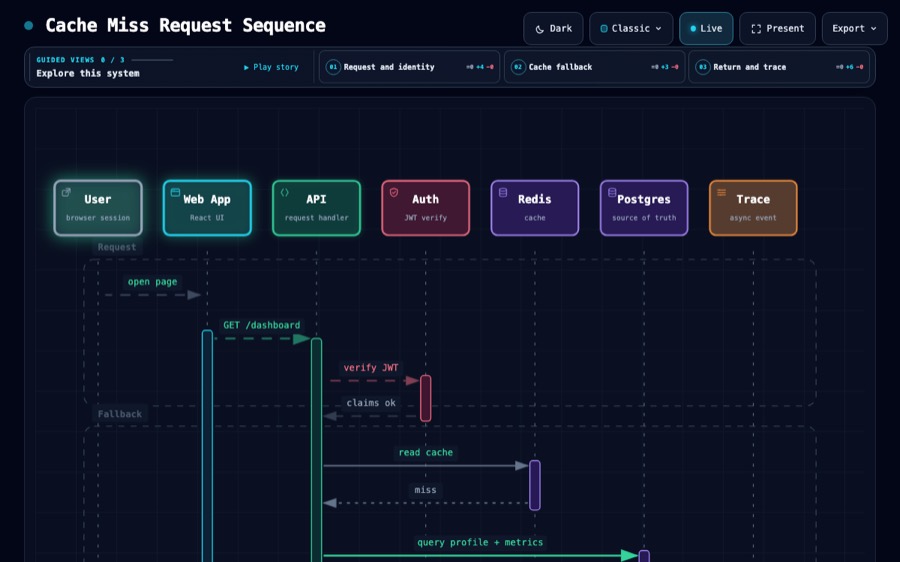
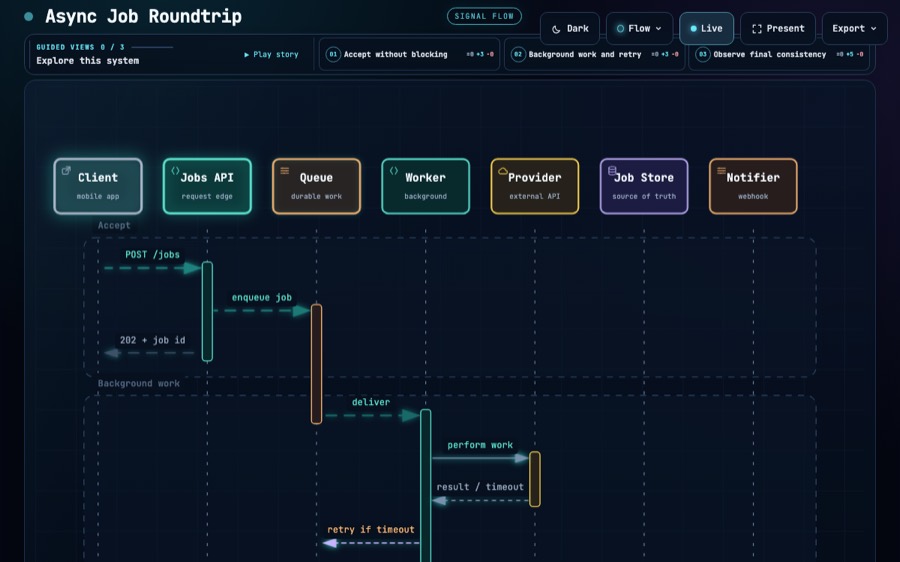
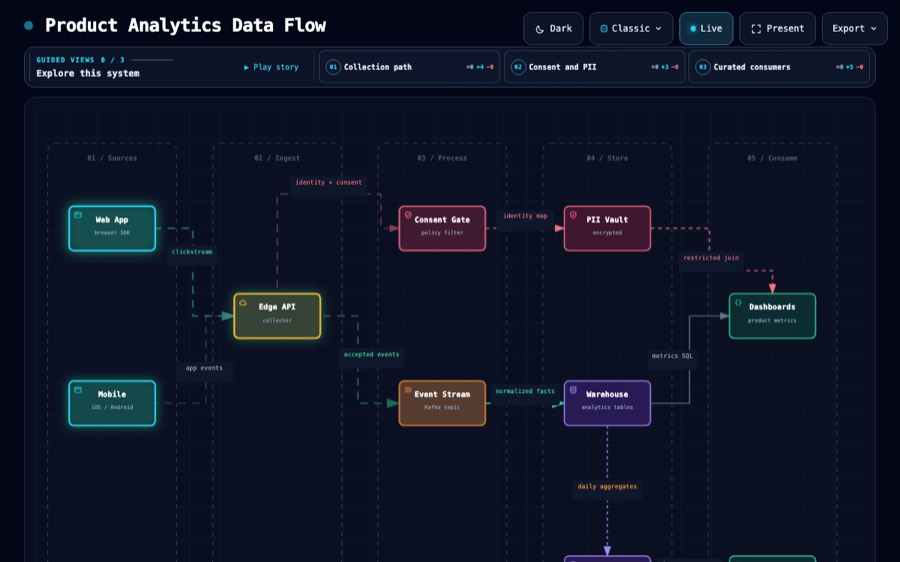
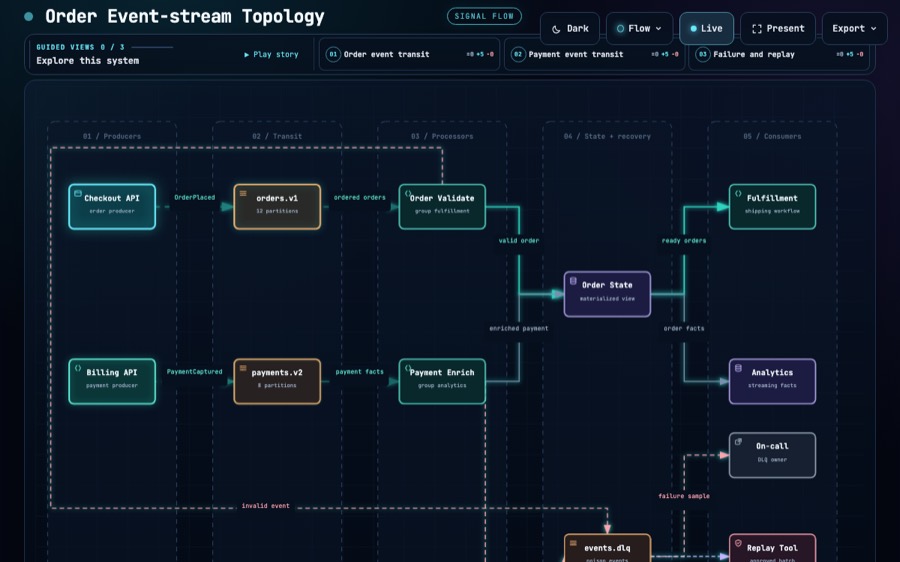
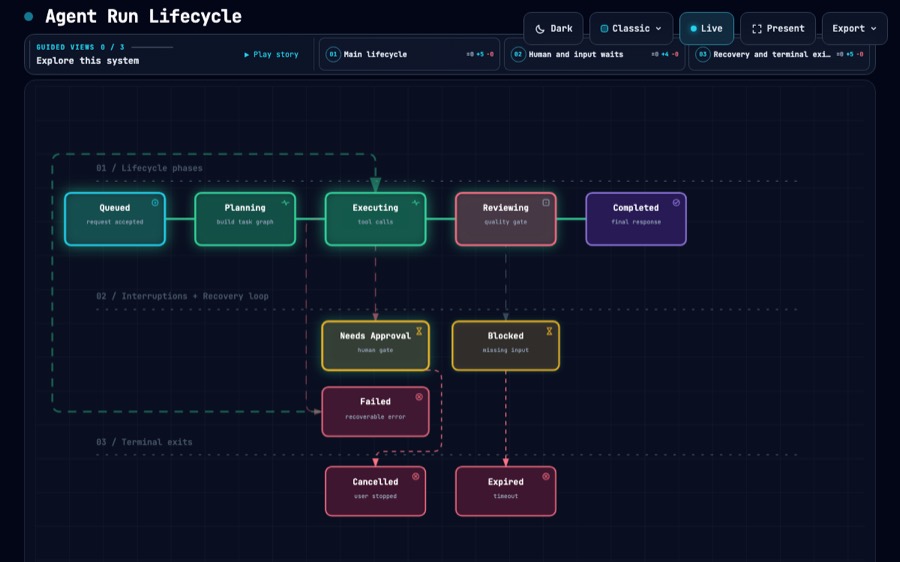
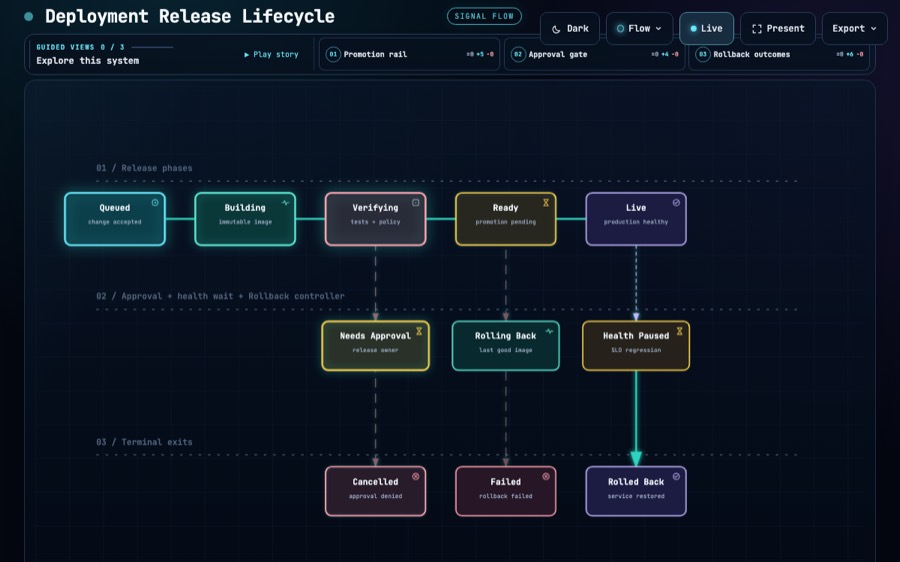
From the project's published gallery — Archify
Most diagram tools draw what you tell them. Archify compiles what you describe: the topology is a typed JSON specification, a validator refuses a diagram whose geometry or facts do not hold, and what comes out is one self-contained HTML file the reader can actually interrogate — search a node, focus it, trace what reaches it, compare two versions as a before-and-after.
That makes it a good answer when the diagram *is* the deliverable rather than a figure inside something else: a service map someone will review, a request path you need to be right about, a pipeline you are explaining to people who will ask follow-up questions.
The price is the authoring contract. Five diagram types with different schemas, a validation profile to satisfy, and a set of layout controls that are easy to reach for too early. The questions on this page exist to get you a good first artifact without reading any of that — you describe the system, we hand your agent a prompt that already knows the shape.
Colour in an Archify diagram is semantic — it encodes component type, not brand. There is no way to make one wear your palette, and that is deliberate on the tool's part.
Nothing on this site installs or runs this tool. The prompt we hand you starts with the install line, so your agent can do it — or skip it if you already have it.
npx skills add tt-a1i/archify -g
We did not build this artifact and it carries no MonoMind branding. It has none of the things our own templates come with — no bilingual toggle, no design tokens, none of our checks. That is the point: it is a good tool on its own terms, and we are pointing at it.
